ISC Digital Strategy Group Conference 2016

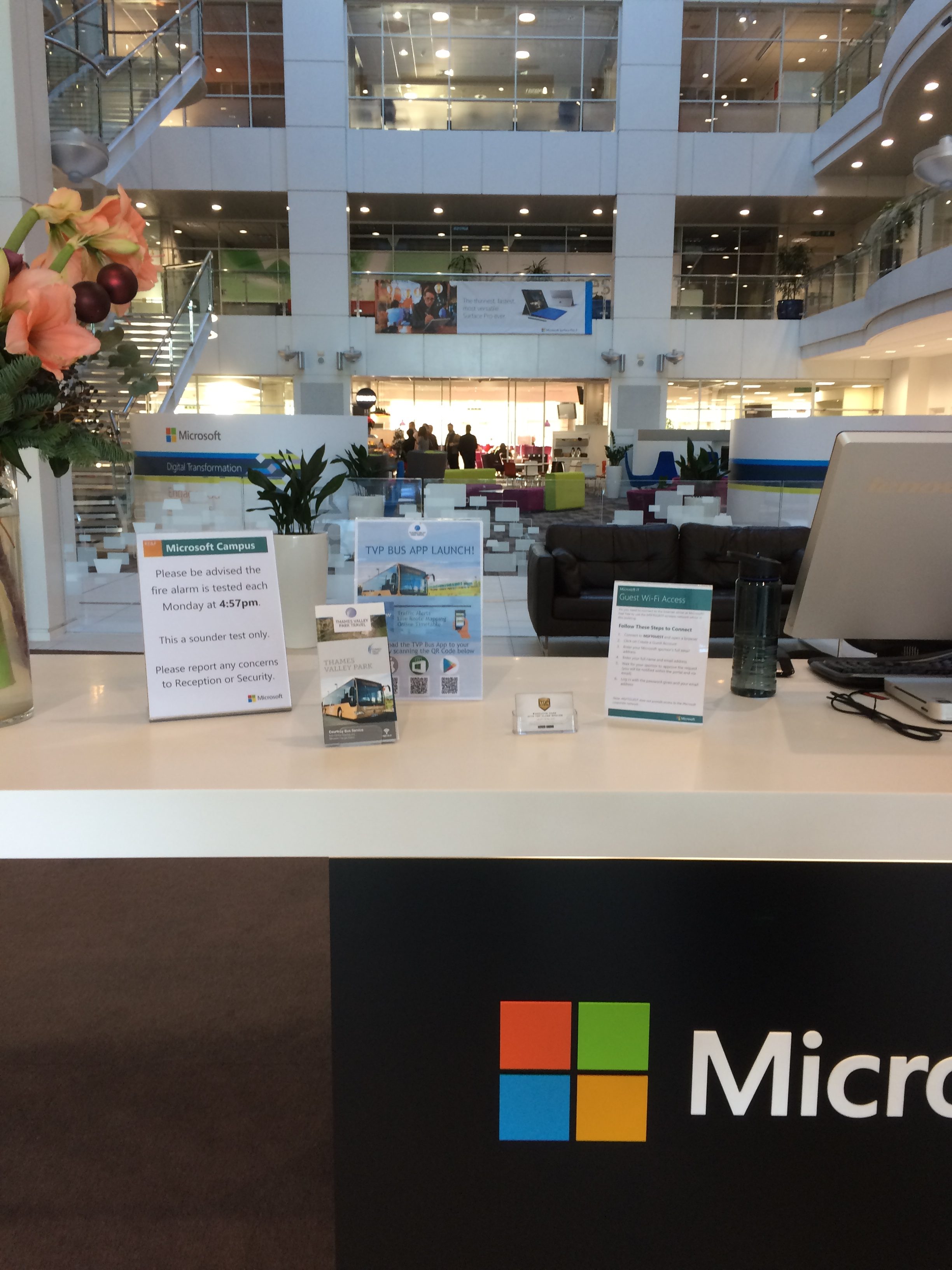
This year’s Independent Schools Council Digital Strategy Group conference was held at Microsoft’s UK Campus. The Conference theme was Digital By Design, Digital By Default. 

I had the opportunity to attend on behalf of the school, to listen to a variety of presentations both in person and via Skype from abroad. We also saw some live demos of collaboration with Microsoft’s tools, naturally, as we were on their turf.
There were many speakers during the day, but in summary from my notes:

Mark Steed spoke on teaching in the Middle East. 95% of Dubai schools are for-profit, which has introduced commercial drivers to education. Schools are concerned with ROI, economies of scale, and keeping staff costs down, which in turn impact school size, facilities, teacher qualifications and the amount of contact time.

This approach has meant schools have invested in blended learning to enable limited contact time, and also make use of video conferencing.

He predicts that for-profit will become the global norm to fill the gap in demand and supply for education. It will become a luxury to be taught by a specialist, superstar teachers will be demanding high salaries in the secondary sector while primary teachers shall be supported by robots as it will always require human interaction. Finally, he predicts VR will disrupt secondary education.

Vaughan Connolly spoke about how the future of professions, employment and schools are changing. He drew comparison to Moore’s Law, and reflected that we tend to over-estimate short-term impact, and under-estimate long-term impact.

Throughout the day several speakers referred to the development of artificial intelligence, Connolly referencing a Wilcocks and Lacity study which found that technology liberates people in the short term, to allow humans to do what humans do best.

Miles Berry shared examples of projects and the impact of problem based learning. As my focus is on computing, Berry’s talk felt very relevant, though at BGS we are already implementing creative and computational thinking in the computing curriculum. It was also useful to look at KS4 and KS5 computing, and the perspective of universities for potential computer science undergraduates.

Ian Phillips followed with further practical examples of computational thinking in action with the BBC Microbit. He had challenged his students to find a problem in life they couldn’t solve and then to work together to present a solution at open day, encouraging playfulness, curiosity and deep learning. One of the students gave a confident presentation about their experience and how the opportunities had led to great success.

Andrew Storey spoke of his school’s misfortune of a sinking building being turned into a great opportunity to design a new learning space. Modern learning spaces are flexible, placing students at the centre of the lesson. Storey explained how they went as far as training their students for 6 hours on how to be efficient in the classroom with technology.

Following this we had the opportunity to hear from overseas educators via Skype. James Mannion discussed sharing successful process with neighbouring school districts, turning teachers into problem solvers rather than dictating a solution. Bill Brennan discussed support networks between schools, encouraging adults to break out of their comfort zones with a smile.

Cat Scutt asked us to consider how we delivered teacher CPD, and whether we applied our use of technology for teaching students to how schools developed their staff.

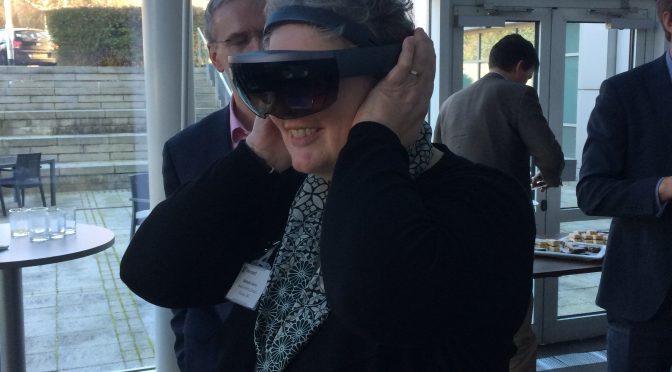
We also heard about the Bloodhound Project, and had a chance to try out Microsoft’s HoloLens, which displays a blended VR overlaid on the real world, to the point it appeared a person was stood amongst us in the room which we could walk around and through while we explored human biology.

Meeting Tanmay Bakshi & Programming in Swift

Today we were very kindly invited by Apple to meet Tanmay Bakshi, a 13-year-old developer from Canada who is the world’s youngest IBM Watson programmer. IBM Watson is an intelligence engine which handles artificial intelligence amongst other things – a sort of super computer.

Tanmay is on a mission to reach 100,000 new developers to inspire them to code, by the time he is 15. He inspired us with his story: he created a very popular time tables app aged nine and by age 12 he was working with IBM and Apple.

James Potter (Director of Digital Strategy at BGS) and I brought a small group of girls from the computer science club down to London on the train for the day. After a presentation from Tanmay, we joined a workshop.

In the workshop Tanmay led us through how to create our very own iOS apps with Swift. We created one which would predict whether a person would be male or female based on their name. To do this, we trained IBM Watson with 7,000 names. Although we didn’t quite have enough time to finish our app in the session, we tested Tanmay’s app with one of girls’ names, curious at what Watson would predict. After a few hiccups – the app eventually returned the correct answer.

Pythagoras Published

The first BGS Mathematics multi-touch book is now available to download on the iBooks Store.

Pythagoras is an introduction to studying Pythagorean Theorem, suitable for KS3. Who was Pythagoras? What is the Theorem? How can we use it?

The book will guide you through at every stage with worked examples and questions to complete. The book is full of interactive elements, videos and illustrations. Accessible scrolling view supported.

Download Pythagoras for free from the iBooks Store

Computer Systems Published

Our first Computer Science multi-touch book is now available to download for free on the iBooks Store.

Designed for Year 9 students, we explore the different parts that make up a computer system, and how they all work together to allow you to do anything from write a novel, analyse the human genome and allow you to watch hours of cat videos on YouTube…

Download Computer Systems for free

Discovering Biology Published & Vectors in iBooks Author

The Bedford Girls’ School Year 6 Biology revision guide has been published to the iTunes Bookstore. It has been renamed ‘Discovering Biology’ and covers cells, microscopes, senses, skeleton, muscles and microbes suitable for keystage 2 or 3 learners.

Download Discovering Biology for free on the iTunes Bookstore.

Under the bonnet, the book demonstrates the turning point in my workflow from constructing diagrams using Adobe Photoshop to using iBook Author’s vector tools.

Whereas the interactive diagrams require a raster image (the microscope was illustrated in Photoshop for example), I now construct the illustrations embedded into the pages without augmentation entirely with vectors within iBooks Author. (Muscles illustration is entirely drawn with vectors within iBA.)

The software doesn’t currently support importing SVG etc, but I was pleased how easy it was to draw. The only drawback is that it can crash out, so I’m conscious to save very regularly. Hopefully an update will resolve the stability (I feel I’ve submitted more than enough reports!)

GCSE Computer Science Quizlets

It’s very quiet at school. As a full-time member of support staff, I’m working through the summer while the students and the majority of staff are on holiday.

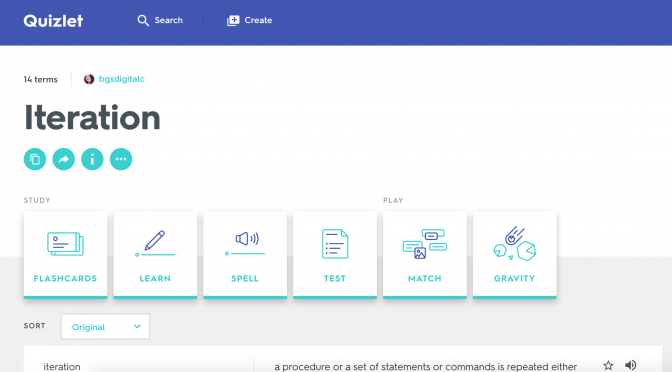
Between creating books (and catching Pokemon on my lunchtime walks) I’ve created a class full of GCSE Computer Science definitions on Quizlet for James Potter (Director of ICT).

BGS begin their first year of Computer Science GCSE in September, which is excellent news. It’s been really interesting to see the curriculum while creating these sets. I’m glad ‘proper’ computing has returned.

5 tips for Aspiring Project Managers

Just 5. So many others…

1. Your email archive is invaluable.

Keep every email, at least, to do with work and projects. You can check back on a client decision, confirm dates and trace issues. My obsession with email allowed us to doubly prove client approval on extra billable work when it was disputed, and backed up my work countless times. Your archive is also your successor’s archive, if you hand over projects.

2. Organise your stuff

Search functions are great, but filing your emails and adopting inbox zero technique is better. Use client or project folders. I used to even file leads we’d investigated with sales so I could review if the sale progressed and the project arrived.

Also keep your project management system updated. File those minutes on base camp, log those client passwords, check the time records. Keep your own files tidy, adopt a system and save yourself a headache. If you went under a bus tomorrow, is everything there to carry on?

3. Keep a record

Email is nicely time stamped, but telephone conversations are not. Beware of the client call where a specification is changed or work is agreed. Stick to your company policy, consider or implement written sign off requirements on designs, scope change and especially extra billable work.

Follow up a call with the salient points by email. It creates a mutual written record, and the other party has an opportunity to correct if incorrect.

4. Be timely but not too quick

It’s ok to send a holding email to say you have seen the communication but need time to read it properly sand consult to reply in sufficient detail.

Acting quickly can make a client happy but can send you into a cycle of instant gratification. The client expects the same each time, and if something truly urgent is sent you’re in a pickle.

Speed also brings mistakes. A client may change their mind and you’ve already acted. You may misread in your hurry. The request may be a bad idea that needs more consideration.

Finally it brings a lack of appreciation. It takes time to act. Sometimes a fix is easy, say a CMS typo in an easily editable area, another time it may be programmatic and reveal a larger issue that may take a few hours. To a client they may both be perceived as simple typos. Explaining is great, but not every client may want to understand, or may be panicking as their boss is breathing down their neck.

5. Look after your team

These girls and guys do the heavy lifting. Yes it’s hard keeping clients happy, but so is delivering something on time. They are dedicated to knowing their stuff. You’re often a generalist so acknowledge their opinions and ask for them. Deliver praise, name them with clients if your company allows. Pass on thanks. Buy a round at the pub.

Get to know them, what their strengths are, who they collaborate best with and where they may trip up. Make sure they have the documentation, the time, the opportunity to ask questions, the early involvement, the peace and quiet to work their magic. When your arse is in the line, you want them to have your back, so make sure you have theirs now.

Technology & Teachers

As part of my role with Bedford College since end of March 2013, I train teaching and support staff to use technology like SMARTboards, tablet devices and Moodle, the chosen Virtual Learning Environment of the college. These trainings are one to one, or small groups or even whole theatres of people if the need arises. I have also been called upon to run day workshops with partner organisations as part of the College’s Grade Tracker project, which was already underway when I joined the team.

Whiteboards had been a revolution in the time I had been at school. I’d seen one interactive whiteboard at school which was incredibly fragile, and had mixed attempts at interacting with them in some university lecture spaces, but on joining the team, I had a crash course – I had to be an expert enough to train other people within a week or two.

I loved it.

Interactive whiteboards are a piece of technology that has cropped up in many classrooms in the past decade. They cost a bit, are disliked by a good number of teachers because they are often prone to failing right when you need them. A whiteboard pen with ink in can run out, fair enough, but you can normally reach for another and carry on. With a computer, digital screen, if it goes wrong, it’s a little more complicated. Like mathematics, many of us claim not to be very good at it – but we have to use maths, and technology every day. Teachers are therefore expected to make use of these boards to teach their students.

My audience is always a mix of those who adore the boards, or want to learn because they’re fresh to teaching, those who are seasoned at finding reasons not to use it, and those who are absolutely petrified of them. Once we’ve got over the line of ‘don’t press there – you’ll launch the missiles’ and had a grin, without a student audience, I enjoy turning that fear round to curiosity. I get a fair bit of ribbing back – after all, these people teach people for their main role, and as I teach them, they’re critiquing me for my approach too. I was apprehensive at first, but they’re a supportive bunch – even more so now I am studying a part time course which with my degree could qualify me enough to teach students too.

I know I have a lot to learn with teaching, but looking back on the past few months vs. my time at the agency, I am happy that through learning more about applying hardware to teaching, I’m also rapidly improving my skills in face to face interaction and training. Whereas I might have introverted tendencies – the change in role has allowed me to step back over. It has allowed me to recapture that feeling in approaching Internet World in 2012, where I started to consider where my career might go next.

One Cat's Adventures in Technology and Teaching